

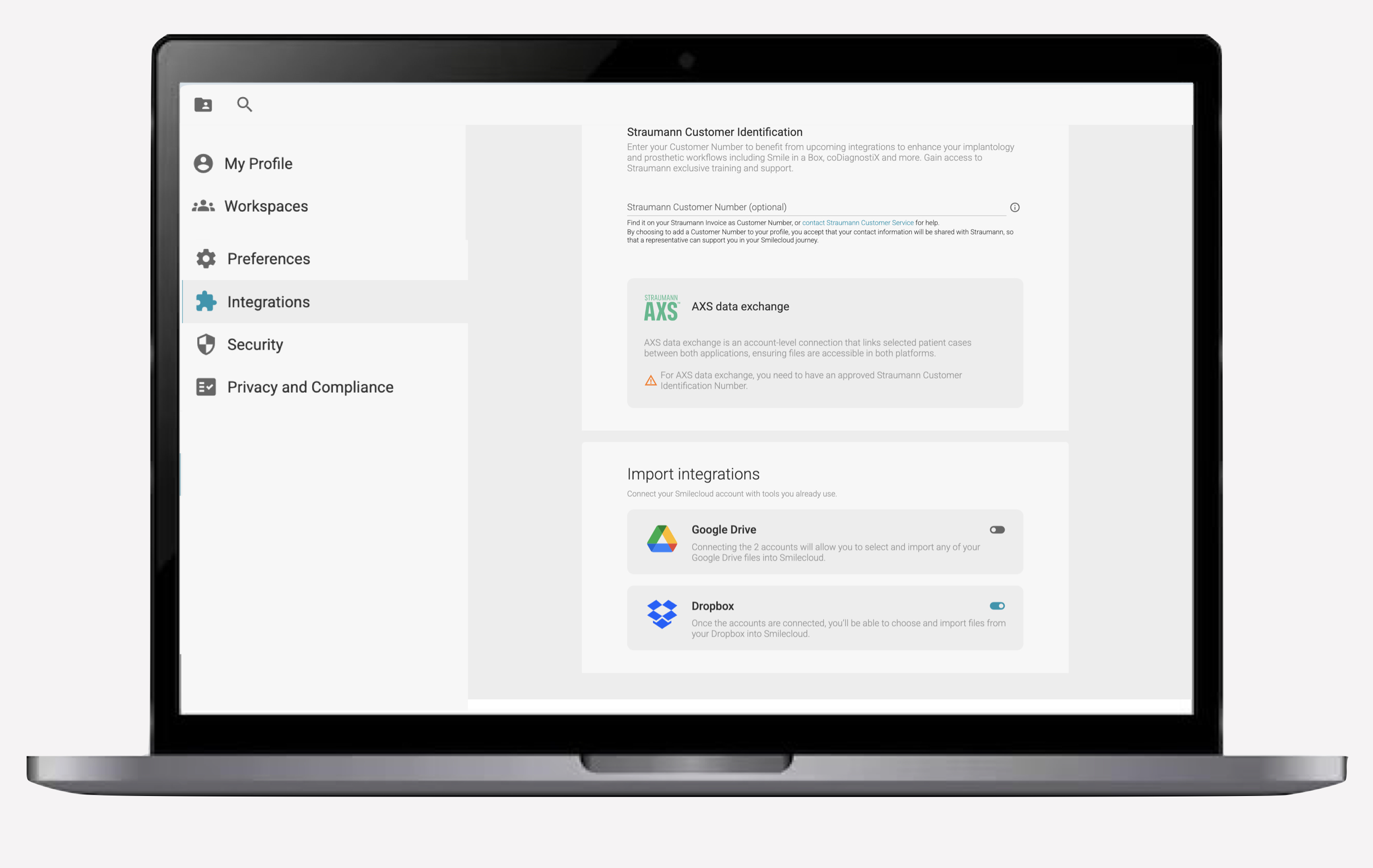
Connect AXS, Google Drive and Dropbox to Smilecloud
Faster uploads. Smoother transfers. Your files, right where you need them.

Uploading files to Smilecloud is now easier and more efficient.
You can connect your AXS, Google Drive and Dropbox accounts directly to Smilecloud, allowing you to import case files without first downloading them to your computer or mobile device.
This makes it faster to bring photos, scans, PDFs and other documentation into your cases while keeping your workflow organised.
Upload directly from your connected account
Once an account is connected, it appears as an additional source whenever you upload files inside Smilecloud.
Simply select your preferred source, choose the files you need and import them directly into the relevant case in just a few clicks.
You can use the connection to upload:
- Patient photos
- Intraoral scans
- PDFs
- Clinical documentation
- Other relevant case files
Fewer steps in your workflow
Previously, transferring files from an external platform could involve downloading them to your device, locating them in your folders and then uploading them again to Smilecloud.
With connected accounts, you can skip those intermediate steps and access your files directly from the upload window.
The result is a smoother process with fewer downloads, fewer duplicate files and less time spent moving documentation between platforms.
Your files remain easy to access
Your connected services become part of your existing Smilecloud upload workflow, so you can continue working from the same familiar interface.
Whether your files are stored in AXS, Google Drive or Dropbox, you can bring them into the case exactly where you need them.
Easy, convenient and designed to remove one more step from your daily workflow.

Building lasting relationships and customer success


