Smilecloud Passport: closer to your patients
We’ve simplified the way dentists connect patients to their cases. For patients, it brings continuity to the information discussed in the clinic.

The past, present, and future of your smile. All in one place.
A consultation brings together photographs, ideas and conversations about what comes next. With Smilecloud Passport, patients can revisit the content you share with them after they leave the clinic, keeping their smile journey within reach.
We’ve simplified the way dentists connect patients to their cases. Whether your patient is sitting beside you or opening an invitation from home, the updated flow makes getting started easier.
From your case to their phone
Passport connects your Smilecloud Case with the patient-facing app. Patients can explore shared dental documentation and smile designs, and communicate with the case team from their phone.
That gives the conversation a place to continue between appointments. Patients can look again at the designs you discussed, revisit shared photographs and bring questions back to the team.
An easier way to get connected
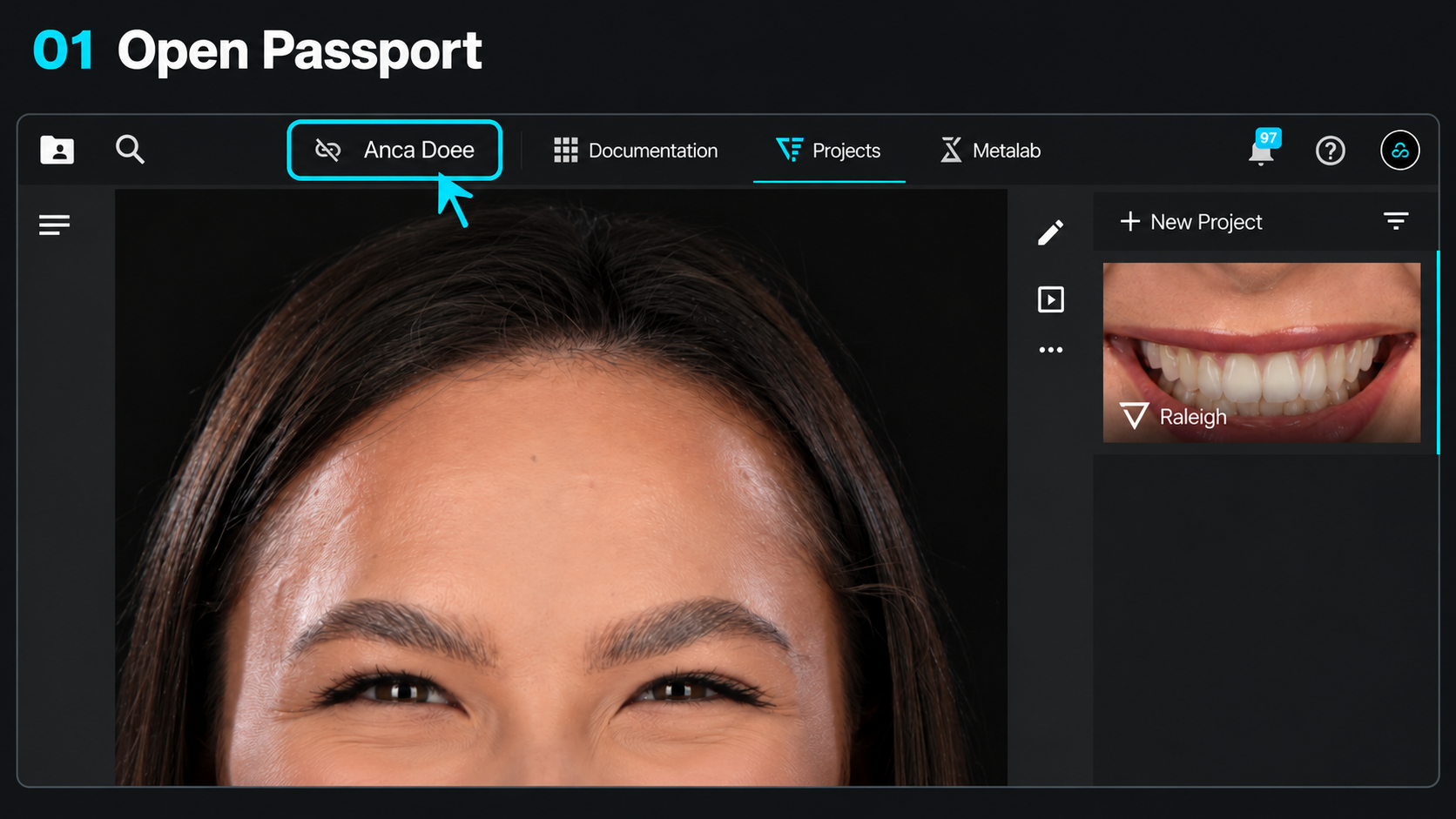
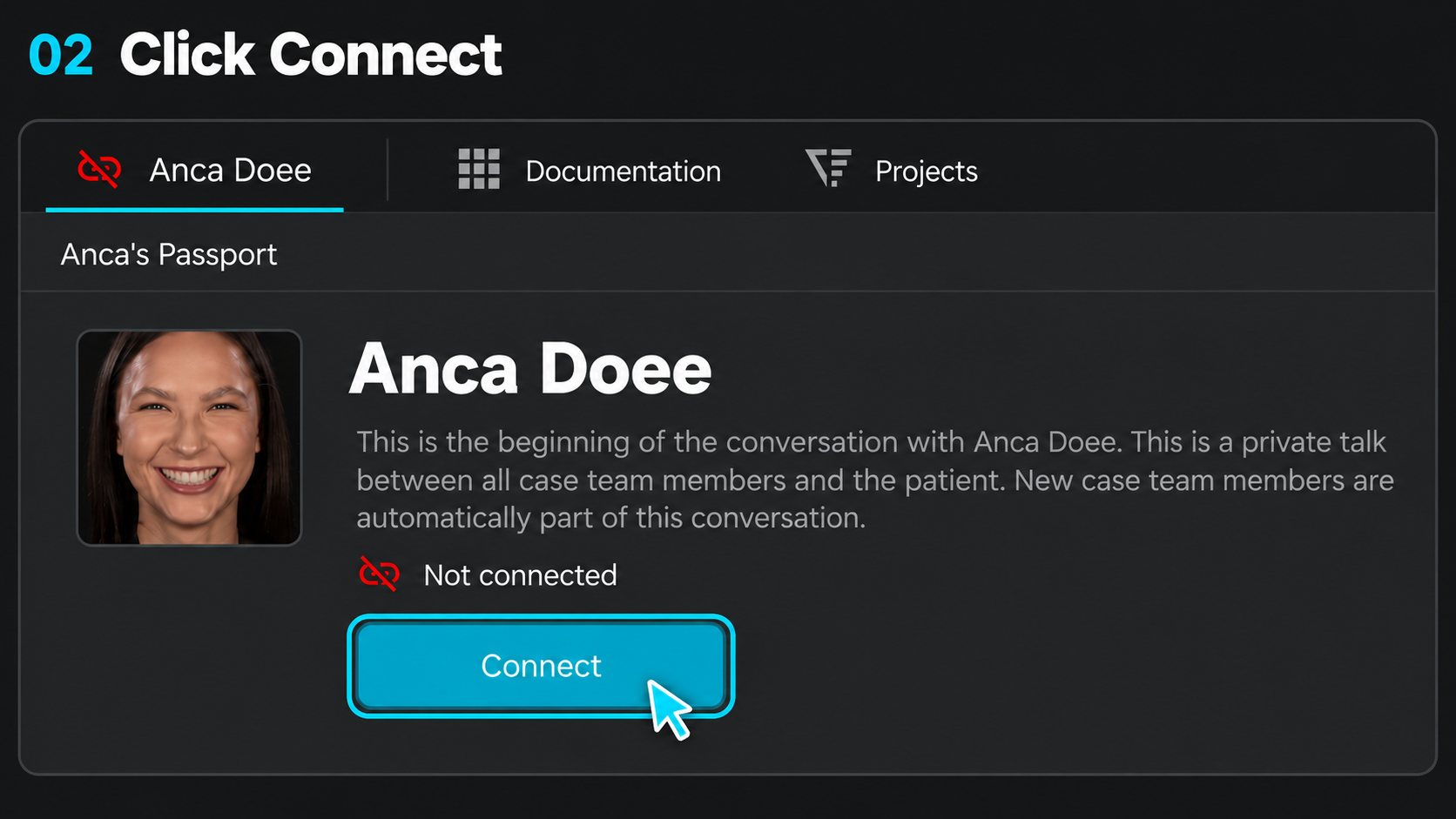
The connection starts inside the patient’s case. Click their name, open the Passport section and select Connect.
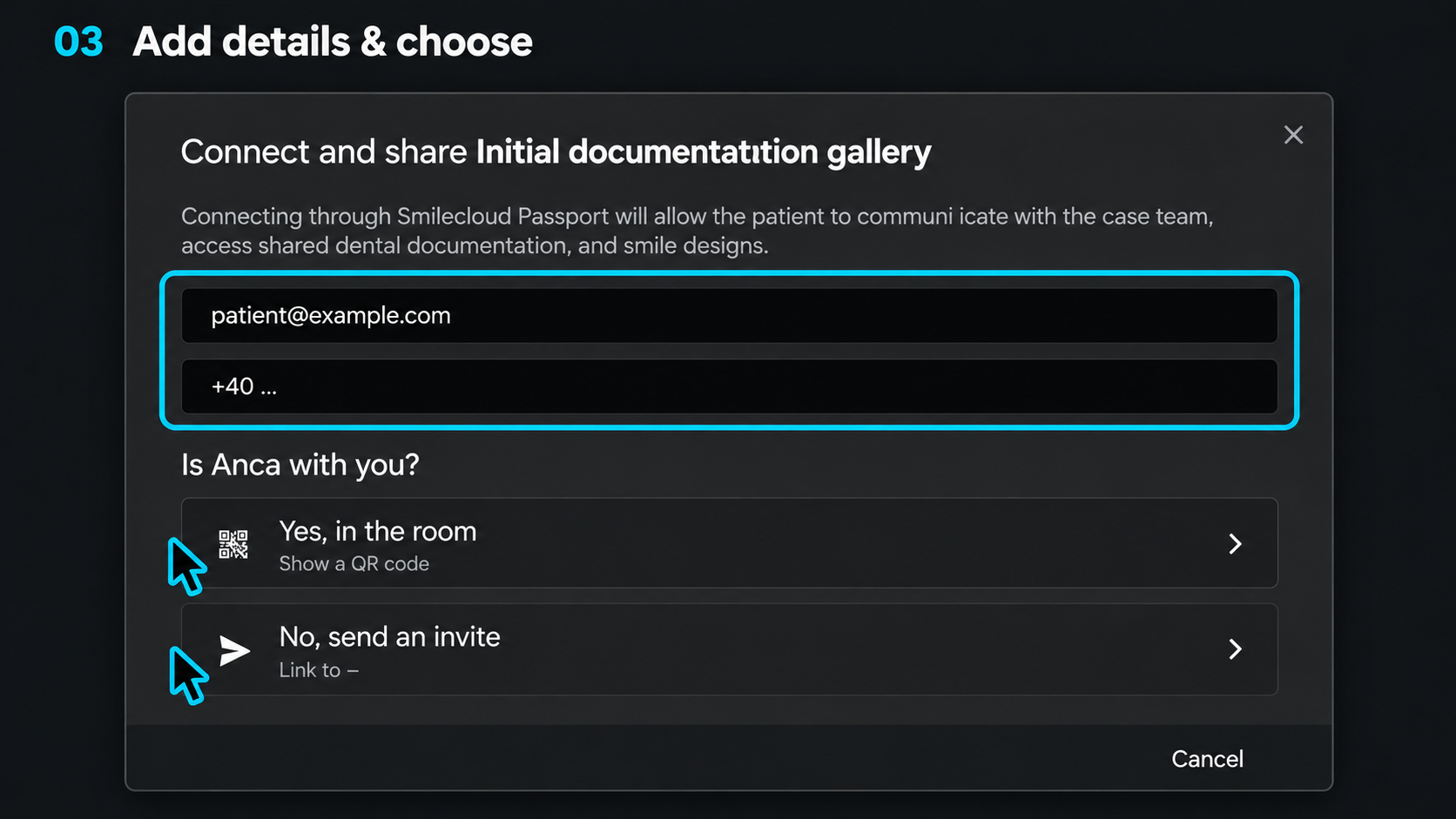
Add their email address and mobile number, then choose how to invite them.
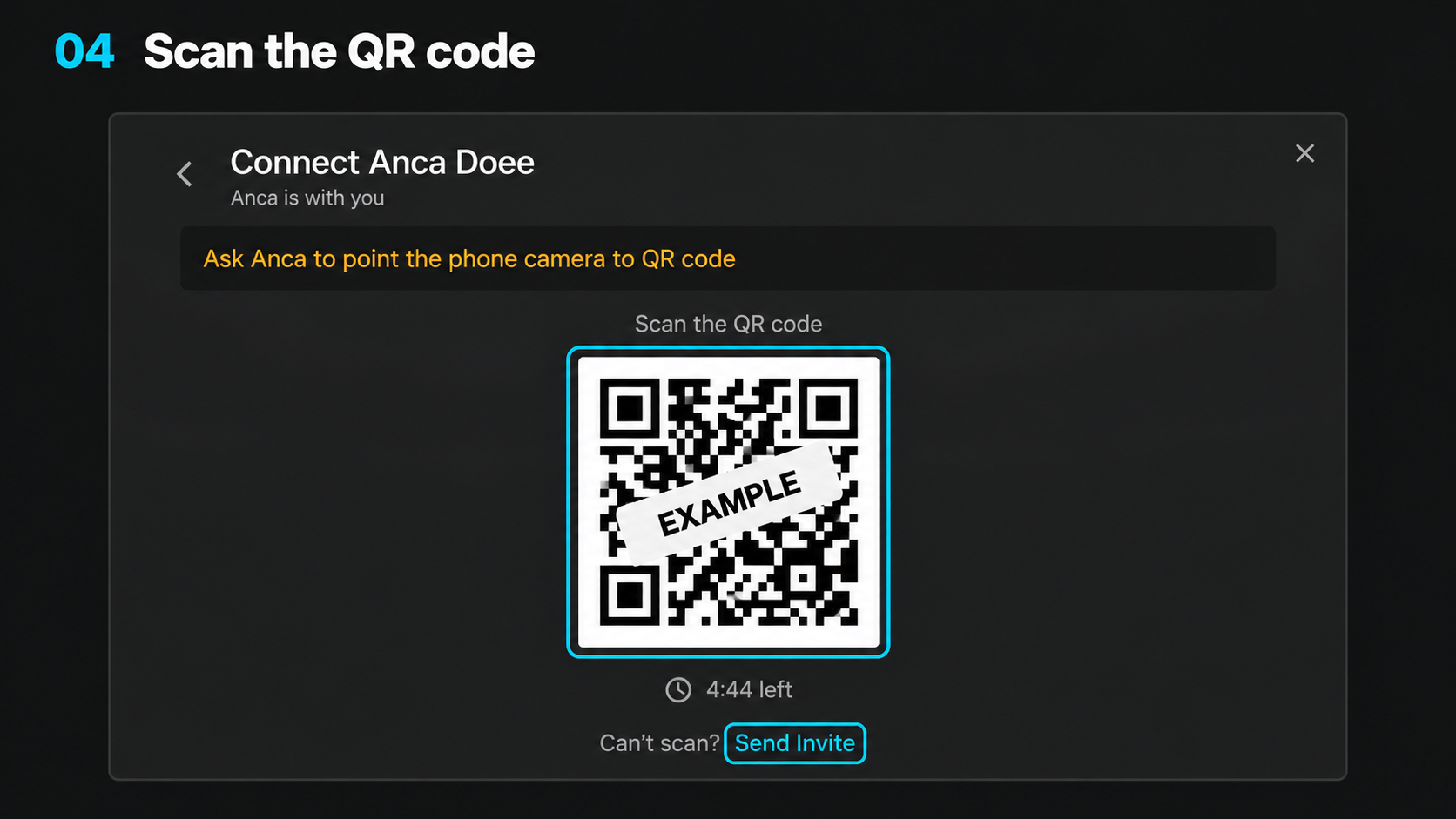
If your patient is in the room, display a QR code for them to scan with their phone camera. You can guide them through their first sign-in while you’re together.
If your patient is elsewhere, send an invitation to their email so they can complete the connection remotely.
A guided first sign-in
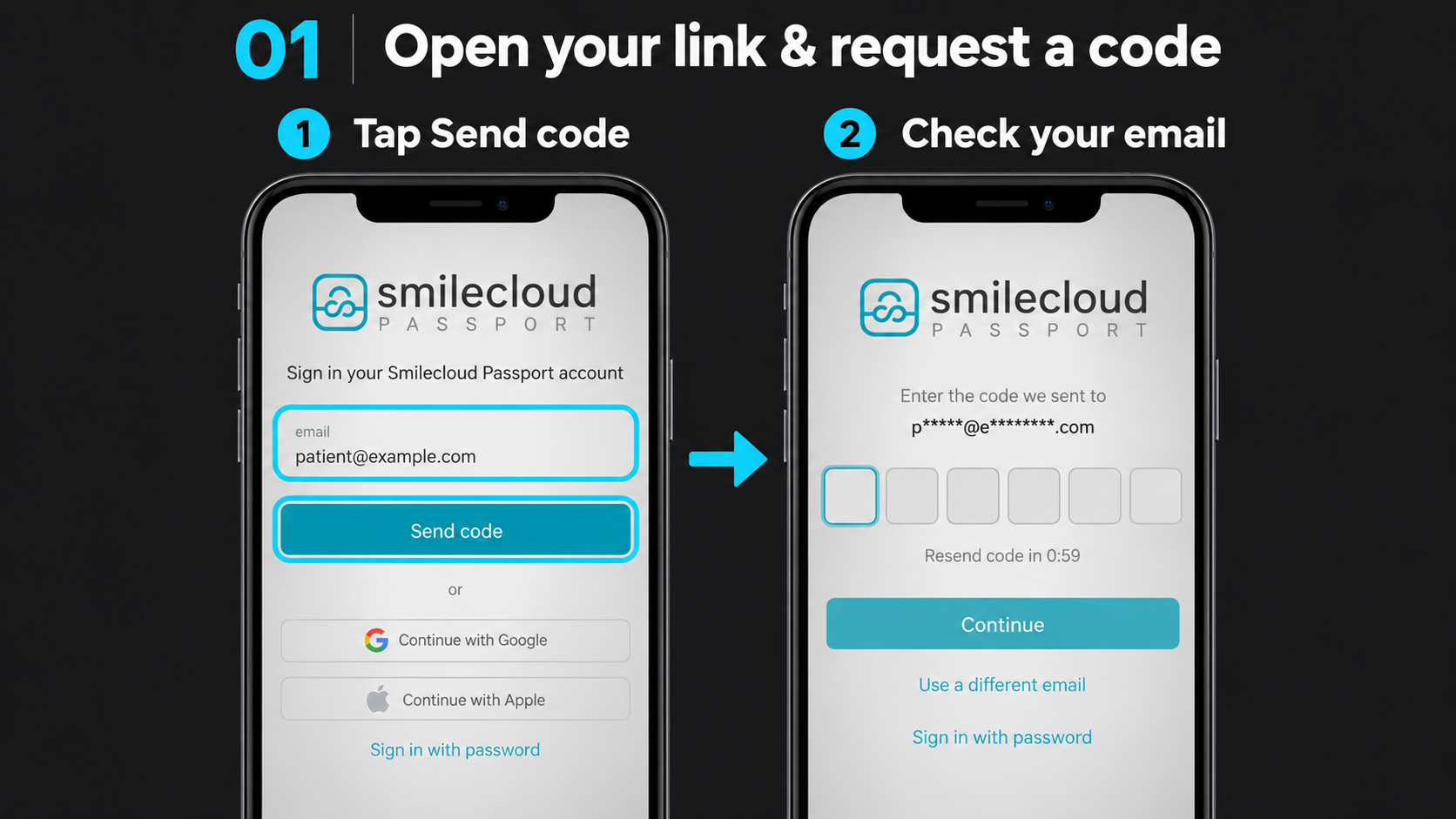
After opening the QR link or invitation, the patient requests a sign-in code, checks their email and enters the code in Passport.
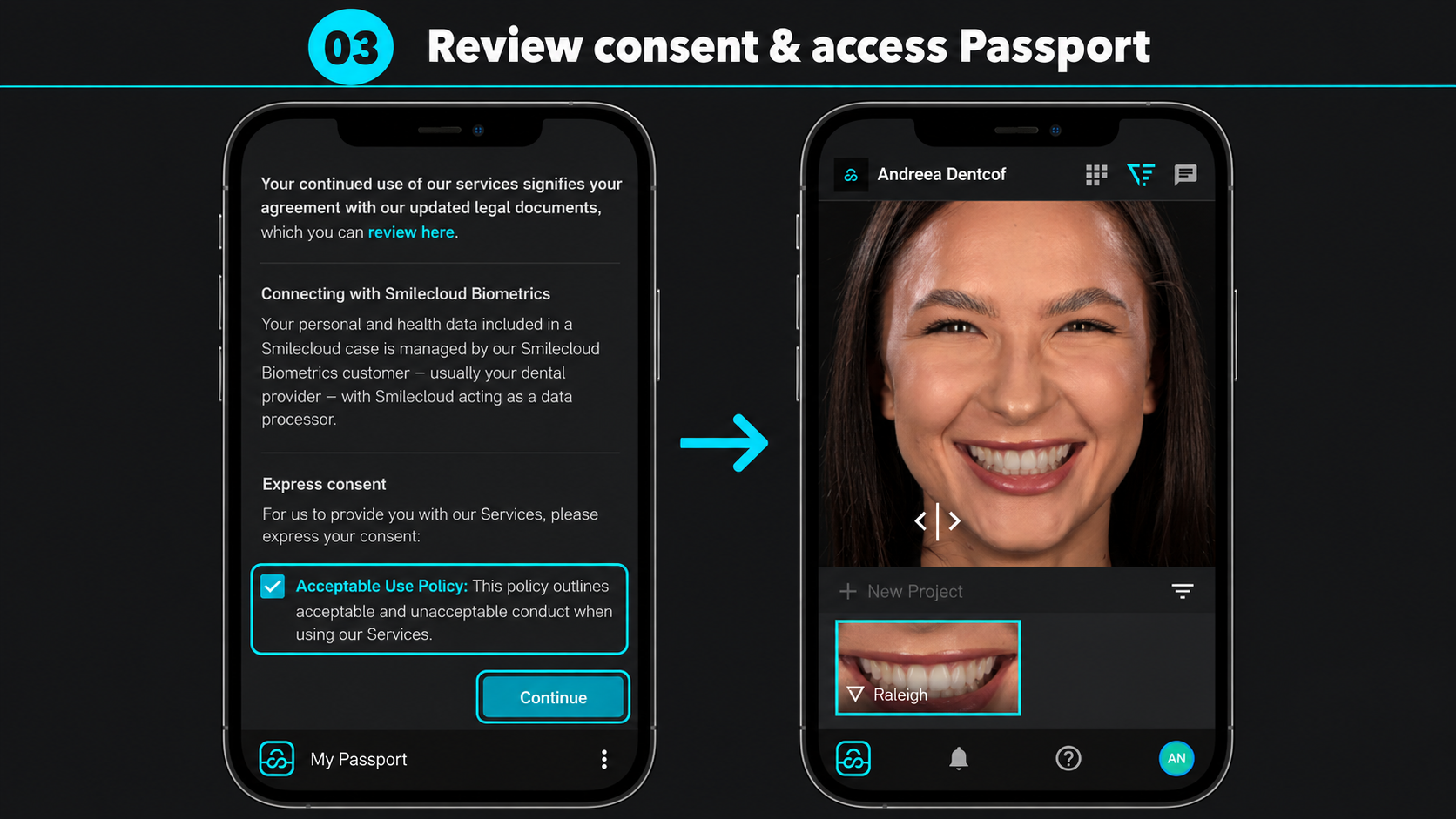
They then review the information and consent requirements presented on screen. Once completed, their Passport opens with access to the content shared by their dental team.
Make the connection part of the appointment
Introducing Passport during a consultation gives you an opportunity to show patients how it fits into their care. Connect their account, open a shared image or smile design together, and show them where to find it again later.
For patients, it brings continuity to the information discussed in the clinic. For the team, it creates a shared point of reference for the conversations that follow.
Open a case, select Connect and bring your patient into their smile journey.

Building lasting relationships and customer success